
Data Storytelling Studio
From a messy spreadsheet to a story people act on, in four steps.
The problem
Most data does not arrive ready to present. It comes as a spreadsheet with duplicate rows, three different date formats, “virtual” spelled four ways and costs typed as text. Cleaning it eats the first hour. Then comes the harder part: working out what actually matters and turning it into slides someone will read.
I kept seeing the same gap in my own work across marketing, social media and data analytics. Analysis tools are powerful, but they assume your data is already clean and that you already know what story you are looking for.
What if you could drop in any spreadsheet and get back clean data, the findings that matter, a dashboard and a ready-to-present deck, with every step explained?
How it works
The app follows the same path an analyst takes, as four clear steps.
Clean
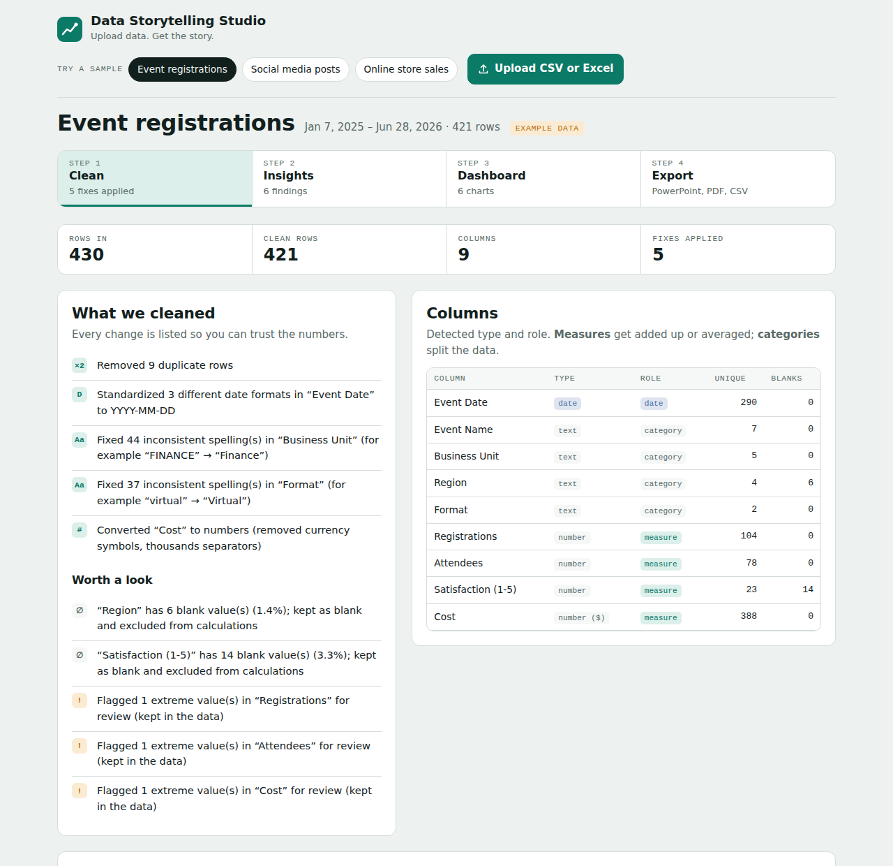
Upload a CSV or Excel file and the app fixes common problems on its own: duplicate rows, mixed date formats, inconsistent spellings, currency symbols and shorthand like “5.6K”. It also detects what each column is: a date, a number to add up, or a category to split by.
The key design choice was transparency. Every change is listed in plain language (“Fixed 44 inconsistent spellings in Business Unit”), and anything that needs a human decision, like blanks or extreme values, is flagged instead of silently changed.
Insights
Next, the app compares periods, groups and days of the week to find patterns. These findings come from clear calculations, not AI guesses, so they are consistent and checkable. On the sample events data, it surfaced a story any manager would want to see:
- Registrations grew 41% over 18 months…
- …but the attendance rate dropped from 65% to 57%. More sign-ups were not turning into attendees.
- Sales had the lowest attendance rate (52%), while Tuesday events converted best (68%).
- One event looked like a data-entry error: 610 registrations against a typical 71, flagged before it could distort the totals.
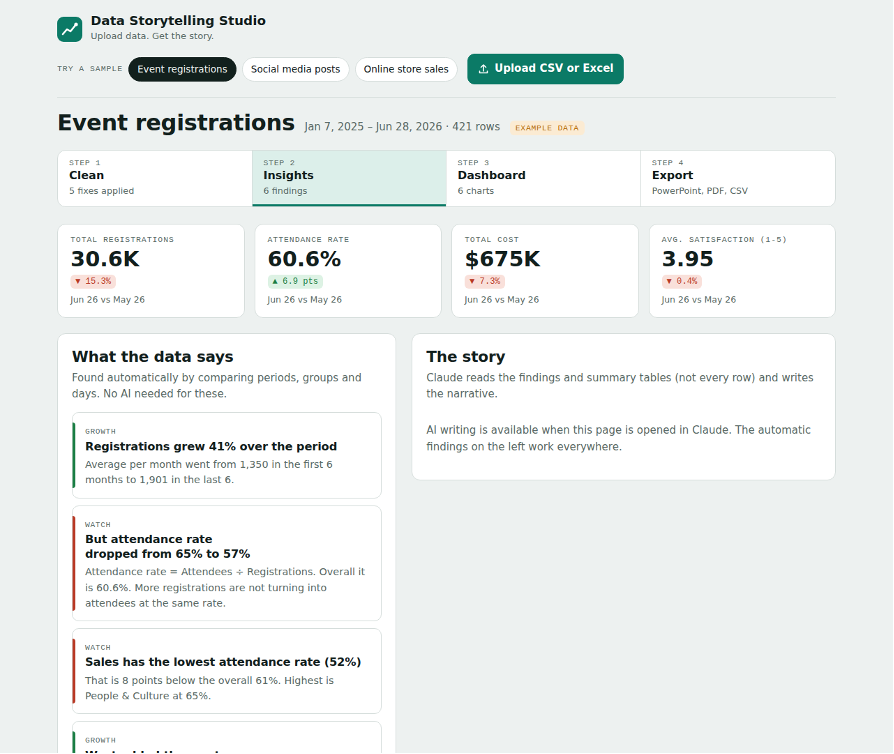
Then one button asks Claude to turn those findings into a headline, a short summary and three talking points. An “Ask your data” box lets the AI run real calculations on the dataset to answer questions like “Which business unit should we focus on?”
Dashboard
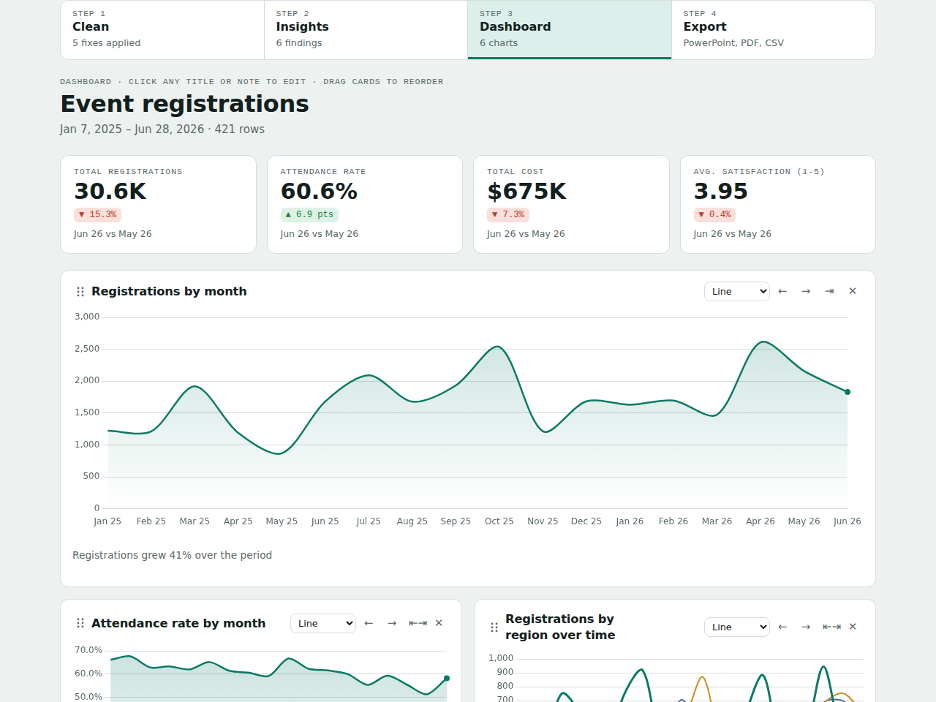
The app suggests a chart for each finding and picks the right type for the question: lines for trends, sorted bars for comparisons. The bar that matters is highlighted and the rest stay quiet, so the eye goes straight to the point. Cards can be dragged, retitled, annotated and switched to another chart type.
Export
The finished story exports as a PowerPoint deck, a PDF report or a cleaned CSV, with titles, notes and the AI story included.

Tested on real-world mess
I tested the app on three deliberately messy datasets (event registrations, social media posts and online store sales) to make sure it handles the problems real spreadsheets have.
Design decisions
Show the work
A cleaning log and rule-based findings build trust. People will not present numbers they cannot explain.
Rules for facts, AI for words
Numbers come from clear calculations. AI only writes the narrative, and its text is labeled “check before presenting”.
One highlight per chart
One accent color for the key bar or line, grey for context, and a note under every chart that says what to notice.
Calm and readable
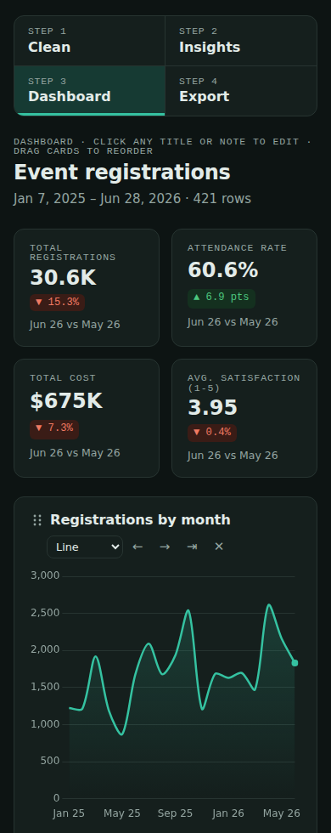
A deep teal accent, generous spacing and aligned numbers. It works in light and dark mode and on a phone.
The analysis under the hood
- Robust outlier detection. Extreme values are found using the median instead of the average, so one huge number cannot hide itself by inflating the average.
- Smart rates. The app notices when one column is a subset of another (attendees and registrations, likes and impressions) and calculates the rate automatically. That is how it caught the falling attendance rate.
- Growth drivers. It measures which group added the most growth, not just which grew fastest by percentage, so a tiny category cannot steal the headline.
- Careful with outliers. Extreme rows stay in the totals but are left out when comparing groups and days, so one viral post or bulk order does not create a fake pattern.
What I learned
- Trust is a design problem. The cleaning log turned out to be one of the most valuable features, even though it is the least flashy.
- AI is best as a writer, not a calculator. Keeping numbers in rule-based code and letting AI write the story made results consistent and easy to check.
- Good analysis needs good defaults. Most people never change chart settings, so choosing the right chart and highlight automatically matters more than offering every option.
What’s next
- Connect directly to Google Sheets and social media analytics, so the story updates on its own.
- Let teams save their brand colors and fonts, so every export matches their style.
- Test it with analysts and marketers on their real data, and measure time saved from upload to finished deck.
Want to see it in action?
I’m happy to walk you through it or talk about how it was built.